1Install and sign in
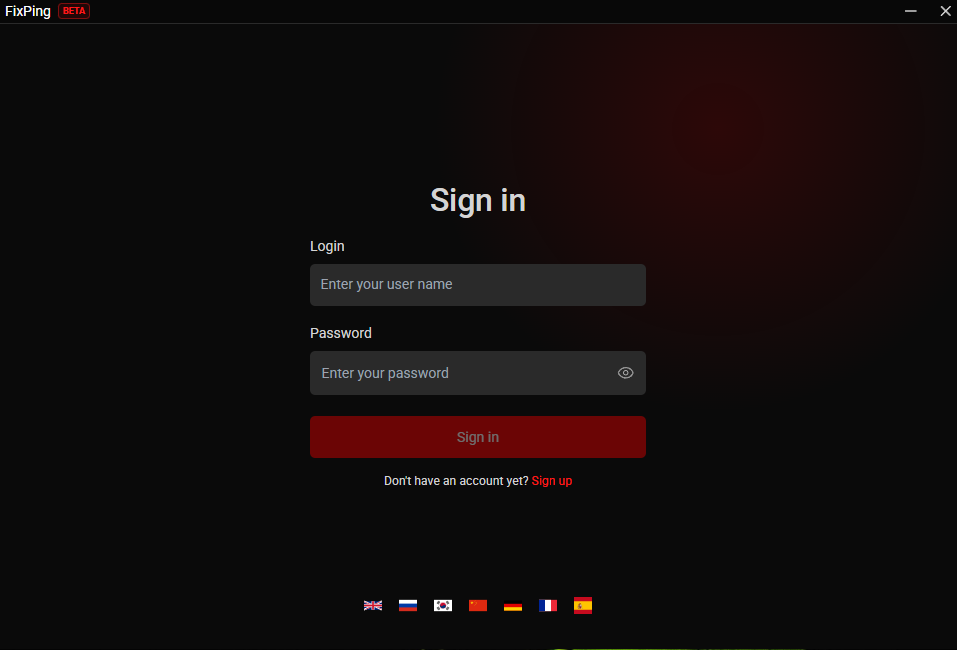
Install Beta. Enter your username and password, then click Sign in.
AION2 early access
AION2 global launch
FixPing offer ends
 Aion2 welcome event
3 days of FixPing
FixPing is a Windows game booster for AION2, with automatic route selection and split tunneling for game traffic.
Only an account created through this event page on FixPing.
No payment details. No automatic charges.
Already have an account? Sign in
FixPing is a gaming booster that helps you choose a route to the game server. An alternative path may help with connection delays and packet loss.
 FixPing Auto
Results depend on your ISP, distance and game server. Lower ping and elimination of packet loss are not guaranteed.
Auto compares available routes for supported game traffic. Results depend on your ISP, distance and game servers. Lower ping, uninterrupted service and compatibility with every game rule are not guaranteed.
Important: connect FixPing before starting the game.
Install Beta. Enter your username and password, then click Sign in.
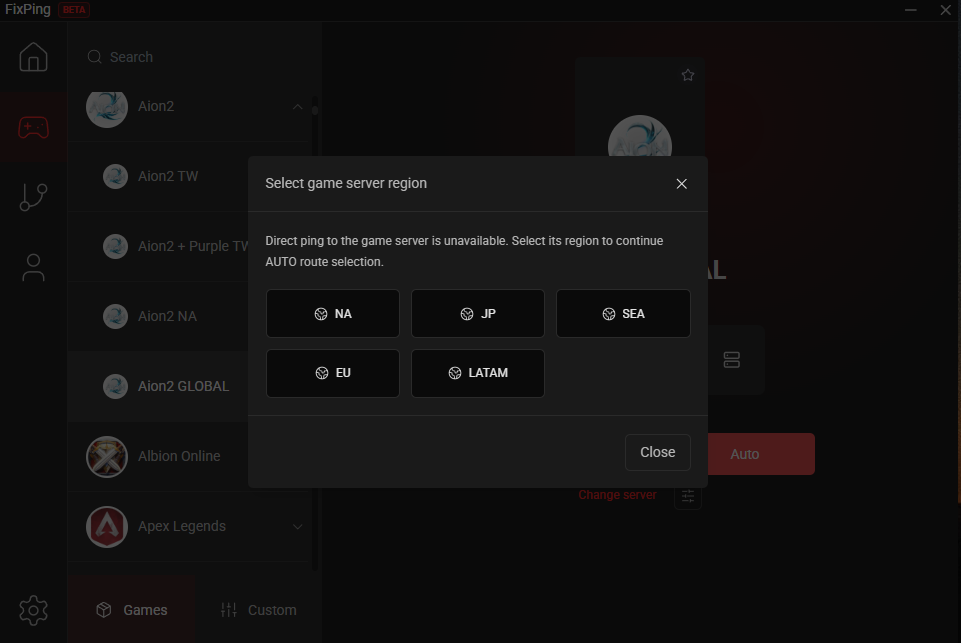
Games → Aion2 → your game profile → Auto. If prompted, choose the game server’s region, not your location.
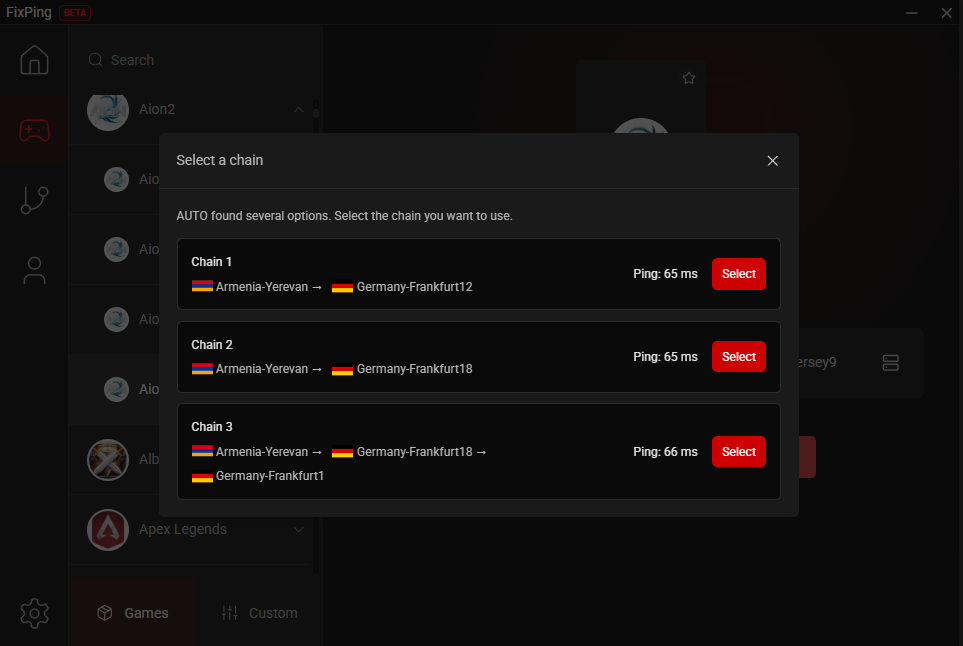
If several routes appear, compare their ping and click Select for the route you want.
Click Connect. Once Disconnect appears, launch Aion2. Keep FixPing connected while you play.

Screenshots illustrate the steps. Servers, ping and the app interface may differ. FixPing is an independent service, not affiliated with or endorsed by NCSOFT. Aion2 names and artwork belong to their respective owners.